We research products independently. When you buy through links on this page, we may earn a commission from Amazon at no extra cost to you. As an Amazon Associate we earn from qualifying purchases. Read our affiliate disclosure.
A projector screen for school use has to survive daily pulls from a room full of people, stay readable from the back row and leave the whiteboard usable when it's rolled up. That's why most classrooms use a manual pull-down: no wiring, no remote to lose, and it just works.
The decisions that matter are size for your back row, shape (4:3 or 16:9, matched to your projector) and mounting relative to the board. Below are six screens for classrooms, large teaching rooms and mobile carts, from budget wall-mounted picks to a commercial Da-Lite.
Our top picks at a glance


Quick picks
- Best Overall: Elite Screens Manual 100-inch 4:3 (M100V)Best for most standard classrooms.
- Best for Large Classrooms: Elite Screens Manual B 120-inch 4:3Best for bigger rooms and larger group teaching.
- Best Widescreen: Elite Screens Manual 100-inch (M100UWH)Best for 16:9 projectors and video-first teaching.
- Best Commercial Grade: Da-Lite Model B 84-inchBest for heavy institutional use.
- Best for Small Rooms: Elite Screens Manual 80-inch 4:3 (M80NWV)Best for small group rooms and tutoring.
- Best Portable: Elite Screens Tripod 113-inch Multi-AspectBest for shared projectors and mobile carts.
Comparison table
| Screen | Best for | Size | Aspect | Type | Surface | Amazon |
|---|---|---|---|---|---|---|
| Elite Screens Manual M100V | Standard classrooms | 100" | 4:3 | Pull-down | MaxWhite 2, 1.1 gain | Check price |
| Elite Screens Manual B 4:3 | Large classrooms | 120" | 4:3 | Pull-down | MaxWhite 2, 1.1 gain | Check price |
| Elite Screens Manual M100UWH | Widescreen | 100" | 16:9 | Pull-down | Matte white | Check price |
| Da-Lite Model B | Commercial grade | 84" | 4:3 | Pull-down | Matte white, 1.0 gain | Check price |
| Elite Screens Manual M80NWV | Small rooms | 80" | 4:3 | Pull-down | MaxWhite 2, 1.1 gain | Check price |
| Elite Screens Tripod 113" | Portable | 113" | Multi-aspect (1:1) | Tripod | MaxWhite 2, 1.1 gain | Check price |


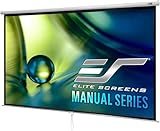

A white matte surface around 1.0 to 1.1 gain is the safe classroom choice: it spreads light evenly so students at the sides see the same image as students at the center.
The best projector screens for schools, reviewed
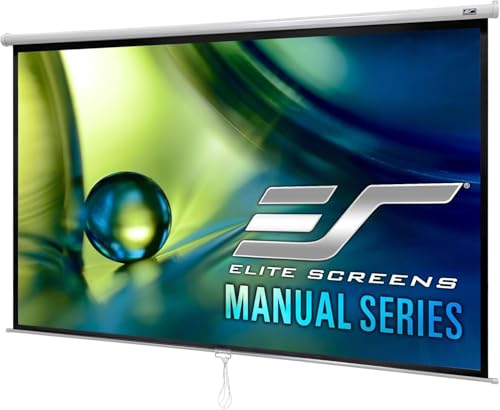
1. Elite Screens Manual 100-inch 4:3 (M100V): Best Overall
Who it's for: standard classrooms with a 4:3 or close-to-4:3 projector.
The Elite Manual M100V is a wall or ceiling mounted pull-down with an auto-locking design, the MaxWhite 2 surface at 1.1 gain and a wide 180° viewing angle. At 100 inches in 4:3, the image is 80 inches wide and 60 inches tall, which is generous for a typical classroom.
A pull-down like this is easy to raise out of the way when you need the board. Check the case length against the wall and the clearance to the top of your whiteboard, since a 100-inch 4:3 screen is much taller than a widescreen one of the same diagonal.
Pros
- Auto-lock pull-down design
- Wide 180° viewing angle
- Tall 4:3 picture for documents and slides
Cons
- No slow-retract in this listing
- Doesn't suit widescreen projectors
- Basic case
2. Elite Screens Manual B 120-inch 4:3: Best for Large Classrooms
Who it's for: lecture rooms and classrooms with distant back rows.
The Manual B is Elite's step up from the entry Manual, offered in 4:3 at 100, 120 and 135 inches. It uses MaxWhite 2 at 1.1 gain with a 180° viewing angle, and Elite's product page describes an auto-locking mechanism that locks at 5 cm intervals. It's rated for standard-throw projectors, not ultra-short or short-throw models.
A 120-inch 4:3 screen is 96 inches wide and 72 inches tall, so make sure your ceiling and wall can fit it. Education customers get a longer 3-year warranty under Elite's ENR-G program, per its product page. The page conflicts about border masking, so check the current listing if black borders matter to you.
Pros
- Big 120-inch size for large rooms
- ENR-G 3-year warranty for schools
- Choice of 100, 120 or 135 inches
Cons
- Not for short or ultra-short throw
- Sources conflict on the borders
- Needs a tall wall

Elite Screens Manual B 120-inch 4:3
by Elite Screens
3. Elite Screens Manual 100-inch (M100UWH): Best Widescreen
Who it's for: classrooms with a 16:9 or 16:10 projector and lots of video.
If your projector is widescreen, use a widescreen screen. The M100UWH is a 100-inch 16:9 pull-down with Elite's auto-lock mechanism, and it fills the shape your laptop already sends. At 87.2 inches wide and 49 inches tall, it's about 11 inches shorter than the 4:3 model, which leaves more room above the board.
This is the same Manual Series covered in our pull-down projector screen guide, and it's a simple, inexpensive choice for modern projectors.
Pros
- Matches modern 16:9 projectors
- Shorter drop leaves more wall clear
- Simple, budget-friendly manual design
Cons
- Less height for tall documents
- Basic case
- No slow-retract in this listing
4. Da-Lite Model B 84-inch: Best Commercial Grade
Who it's for: schools buying for the long term, or districts that standardize on commercial AV brands.
The Da-Lite Model B is a long-running institutional screen. The 74647 version is 84 inches diagonal, with a 67 x 50-inch viewing area, a matte white surface at 1.0 gain, and black masking on all four sides per B&H. Retailers list it in wall and ceiling mounting options, and it comes from the Legrand AV family that schools commonly buy from.
Choose it when a screen has to last for years of daily use. The 84-inch size suits smaller classrooms, so check other Model B sizes if your room needs more.
Pros
- Commercial AV brand
- Black masking on all four sides
- Long-running, widely stocked model
Cons
- Higher price tier than Elite
- 84 inches is small for larger rooms
- Fewer consumer conveniences

Da-Lite Model B 84-inch 4:3 Matte White 74647
by Da-Lite
5. Elite Screens Manual 80-inch 4:3 (M80NWV): Best for Small Rooms
Who it's for: small group rooms, tutoring spaces and portable classrooms.
An 80-inch 4:3 screen is 64 inches wide and 48 inches tall, which suits a compact room where a bigger screen would feel oversized. It has the same MaxWhite 2 surface at 1.1 gain with Elite's auto-locking pull-down, so students get a clean, evenly lit picture without a big footprint.
If your back row is more than about 24 ft away, go larger. For very small rooms, though, keeping the screen modest means students can see the whole thing without turning their heads.
Pros
- Compact footprint
- Same surface as larger models
- Easy to fit above a board
Cons
- Too small for large rooms
- Basic case
- 4:3 only
6. Elite Screens Tripod 113-inch Multi-Aspect: Best Portable
Who it's for: shared projectors on carts, gyms and rooms where you can't mount anything.
The Tripod Series screen is a free-standing option with a 113-inch 1:1 surface, which Elite describes as adjustable for multiple aspect ratios. With no mounting required, one teacher can wheel it from room to room, then fold it when it's done. For more free-standing options, see our portable projector screen guide.
Tripod screens aren't as flat as wall-mounted screens, so they suit presentations better than fine text. Plan on regular setup and take-down, and store it in a dry place where it won't get knocked over.
Pros
- No installation needed
- Multi-aspect format works with varied projectors
- MaxWhite 2 surface
Cons
- Less flat than a mounted screen
- Can tip if bumped in a busy room
- Tall setup needs a clear area

How to choose a projector screen for a classroom
Size for your back row
Measure the distance from the screen to the furthest seat. A common classroom rule of thumb is to keep the back row within about six times the screen's height, so that small text stays readable. A 60-inch-tall image covers a back row around 30 ft away, and a 48-inch-tall image about 24 ft. Use our screen size calculator as a starting point, but measure your own room.
| Screen height | Approximate back row limit |
|---|---|
| 48 inches | 24 ft |
| 60 inches | 30 ft |
| 72 inches | 36 ft |
Match the shape to the projector
If the projector is 4:3, a widescreen surface wastes area. If it's 16:9, a 4:3 screen wastes height. Check the projector's native resolution in its manual before ordering; many classroom projectors from recent years are 16:10 (WXGA or WUXGA), which is closer to 16:9 than 4:3.
Mounting and clearance
Decide how it will sit with the board. Most classrooms hang the case above the whiteboard, either on the wall or from the ceiling. Measure the drop you need and confirm the screen clears the board and anything on the wall. Our guide on how to hang a projector screen has the steps and hardware notes.
Screens are heavier than they look, especially large ones, so fix them into studs or solid blocking rather than drywall alone, and follow the instructions supplied with the case. Your facilities team may have district rules on how fixtures are attached.
Manual or motorized
For most classrooms, a manual pull-down is cheaper, has nothing to wire and rarely fails. A motorized screen makes sense for large lecture halls, high mounting positions or rooms where a teacher can't reach the pull cord, but it needs electrical work done by a qualified person.
Durability
Classrooms are hard on equipment. Pull the screen down and raise it gently, using the handle or cord and not the surface. A slow-retract mechanism reduces wear if your budget stretches to it, since a screen released at speed is the main cause of damage to cases and surfaces.
Surface and room light
A plain matte white surface is best in rooms where the lights can be dimmed, and it's the most forgiving choice when students are spread across a wide room. If you can't dim the room, it's usually better to use a brighter projector than to swap the screen: grey and ALR surfaces narrow the viewing angle, which hurts students on the sides.
Classroom setup checklist
- Confirm the projector's native shape (4:3, 16:9 or 16:10).
- Measure the distance from the screen to the back row, then size the screen.
- Check the wall or ceiling for studs, joists or solid blocking.
- Confirm the case length fits between walls, lights and sprinklers.
- Check the drop against the top of the board and the height of the projector.
- Plan how cables reach the projector, and who is responsible for the remote or pull cord.
Using the board and the screen together
Many teachers want a screen and a whiteboard side by side, so that notes and slides can be seen at the same time. If your wall allows it, place the screen to one side of the board rather than directly over it. If it has to hang over the board, a pull-down that rises fully out of the way keeps the writing surface usable. Fit the screen so its handle can be reached without standing on anything.
How we chose
We didn't test these screens ourselves. We compared Elite Screens' product pages, B&H listings and Legrand AV documents for size, aspect ratio, surface and mechanism, then matched each screen to a real classroom need. Where sources conflict, we say so.
FAQ
What size projector screen is best for a classroom?
Most classrooms suit a screen between 84 and 120 inches. A common guideline is that students in the back row should sit no further than about six times the screen height, so a screen with 50 inches of height works up to about 25 ft. Measure the distance to your back row first.
Should a classroom projector screen be 4:3 or 16:9?
Match the projector. Many older classroom projectors are 4:3 or 16:10, while newer ones and most laptops are 16:9 or 16:10. A screen that matches your projector's native shape fills fully, while a mismatched one leaves unused bands.
Are pull-down projector screens good for schools?
Yes. A pull-down screen is durable, needs no power and can be raised out of the way to use a whiteboard. Screens with a slow-retract mechanism are worth seeking out, since they reduce the chance of a snap-back that damages the case or surface.
Can a projector screen be mounted over a whiteboard?
Yes, and many classrooms do this. Mount the screen case above or in front of the whiteboard using wall or ceiling brackets, keeping enough room for the screen to drop fully. Check that it clears anything mounted on the wall such as speakers, lights or the clock.
Do projector screens work with interactive projectors?
Usually not as well as a hard surface. Touch and pen interactive projectors need a flat, firm surface, so many classrooms project them straight onto a dry-erase whiteboard or a projection-rated board. Check the projector maker's surface requirements.
Verdict
The Elite Screens Manual M100V is the best projector screen for most classrooms: simple, inexpensive and big enough for a typical room. Choose the Manual B 120-inch for larger rooms, the M100UWH for widescreen projectors, the Da-Lite Model B for a commercial-grade install, the M80NWV for small rooms and the Tripod when you can't mount anything.