We research products independently. When you buy through links on this page, we may earn a commission from Amazon at no extra cost to you. As an Amazon Associate we earn from qualifying purchases. Read our affiliate disclosure.
A projector ceiling mount gets the projector out of the way, keeps the beam above heads and fixes the picture in place so you don't realign it every movie night. The right mount comes down to three checks: does it fit your projector's mounting holes, can it hold the weight, and does it put the lens at the right height for your screen.
Get those right and the rest is about convenience: how easy it is to level the image, whether cables are hidden, and whether you can remove the projector quickly. Below are five projector ceiling mounts, from Peerless-AV's precision mount to budget universal mounts and a mini-projector bracket.
Our top picks at a glance
Quick picks
- Best Overall: Peerless-AV PRG-UNVBest for precise image alignment and heavier projectors.
- Best Value Low-Profile: VIVO MOUNT-VP01WBest for standard ceilings on a budget.
- Best for High Ceilings: VIVO MOUNT-VP02WBest when the projector needs to hang 15 to 23 inches down.
- Best Tray Mount: WALI Universal Mount with TrayBest for projectors without usable mounting holes.
- Best for Mini Projectors: suptek PR05MINIBest for small projectors with a 1/4-inch tripod thread.
Comparison table
| Mount | Best for | Max weight (listing) | Fit | Adjustment | Drop from ceiling | Amazon |
|---|---|---|---|---|---|---|
| Peerless-AV PRG-UNV | Overall | 50 lb | Universal spider adapter | Precision gear knobs for tilt and roll | Depends on Peerless plate or column | Check price |
| VIVO MOUNT-VP01W | Value | 30 lb | Holes 5.25–12.5" apart (1.5" x 1.5" without arms) | ±15° tilt, ±15° swivel, 360° rotation | About 6" | Check price |
| VIVO MOUNT-VP02W | High ceilings | 30 lb | Same as VP01W | ±15° tilt, ±15° swivel, 360° rotation | 15–23" telescoping | Check price |
| WALI tray mount | No mounting holes | 22 lb | Tray for projectors under 13.7 x 8.6" | Height and angle | Adjustable | Check price |
| suptek PR05MINI | Mini projectors | Under 30 lb | Single 1/4" (or M4/M6) thread | 90° tilt, 360° pan | 13.38–21.25" | Check price |



The best projector ceiling mounts, reviewed
1. Peerless-AV PRG-UNV: Best Overall
Who it's for: home theaters with a mid-size or larger projector where perfect image alignment matters.
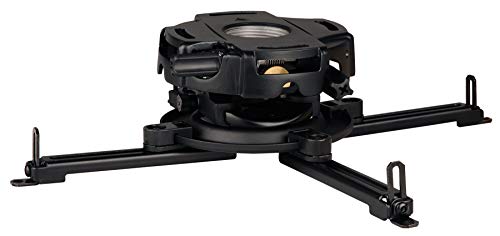
Peerless-AV is a long-established AV mount maker, and the PRG-UNV is its precision gear projector mount. Instead of loosening bolts and nudging the projector by hand, you turn two adjustment knobs that drive geared movement for tilt and roll, which makes it far easier to square the picture to the screen frame. The listing gives a 50 lb capacity, a universal spider adapter for the projector's holes, a pre-assembled design and horizontal wrench-access slots for flush mounting.
Peerless designs its PRG line to attach to its own ceiling plates and extension columns, and the listing names the included part as the mount itself, so check what's in the box and whether you need a separate ceiling plate or column for your installation. It costs more than generic mounts, but if you've ever spent an evening fighting a keystoned image, the gears are worth it.
Pros
- Precision gear knobs make alignment easy
- 50 lb capacity
- Universal spider adapter
- From an established AV mount maker
Cons
- Ceiling plate or column may be extra
- Higher price tier than generic mounts
- Black only in this listing
Peerless-AV PRG-UNV Precision Gear Projector Mount
by Peerless-AV
2. VIVO MOUNT-VP01W: Best Value Low-Profile
Who it's for: standard 8 to 9 ft ceilings where the projector should sit close to the ceiling.
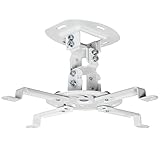
VIVO's MOUNT-VP01W holds projectors up to 30 lb and fits mounting holes 5.25 to 12.5 inches apart with its extending arms, or a 1.5 x 1.5-inch pattern with the arms removed for mini projectors. It offers +15° to -15° tilt, +15° to -15° swivel and 360° rotation, and holds the projector about 6 inches from the ceiling. Quick-release hooks let you detach the projector by loosening the mounting bolts.
VIVO is upfront about compatibility: the listing names projectors it doesn't fit, including several Epson models (LS1100, 3010, 3200, 3700, 3800, 8350, 8500UB, 4010) plus a Mitsubishi and an LG model. Check that list and your projector's hole spacing before ordering. The white powder-coated finish suits white ceilings.
Pros
- Low profile, about 6" from the ceiling
- Fits regular and mini projectors
- Tilt, swivel and full rotation
- Clear compatibility exclusions
Cons
- 30 lb limit
- Not for the Epson models VIVO lists
- Manual alignment, no fine-adjust gears

VIVO Adjustable Ceiling Projector Mount MOUNT-VP01W
by VIVO
3. VIVO MOUNT-VP02W: Best for High Ceilings
Who it's for: rooms with tall or vaulted ceilings, where the projector needs to come down to screen height.
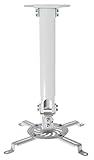
The VP02W is the extending version of the VP01W. It has the same 30 lb capacity, hole-spacing range (5.25 to 12.5 inches with arms, 1.5 x 1.5 inches without) and ±15° tilt and swivel with 360° rotation, plus a telescoping pole that holds the projector 15 to 23 inches from the ceiling. It's made of steel and uses the same quick-release hooks.
The extension matters more than people expect. With a ceiling mount, the lens usually needs to sit near the top edge of the picture (check your projector's offset), so on a 10 ft ceiling with the screen top at 7 ft, a low-profile mount may leave the image too high.
Pros
- 15–23" telescoping drop
- Same broad fit as the VP01W
- Steel construction
Cons
- Same Epson exclusions as the VP01W
- 30 lb limit
- More visible than a low-profile mount

VIVO Extending Ceiling Projector Mount MOUNT-VP02W
by VIVO
4. WALI Universal Mount with Tray: Best Tray Mount
Who it's for: projectors with no usable mounting holes, including many smart and portable models, and anyone who wants cables hidden.
Instead of bolting to the projector, WALI's mount gives you a platform: projectors up to 13.7 inches long and 8.6 inches wide sit on the tray, up to 22 lb. It installs on a ceiling or a wall, adjusts in height and angle, and has built-in cable storage to keep HDMI and power cords tidy. WALI includes the hardware and a step-by-step manual.
Tray mounts are the practical choice for the many home projectors that ship without threaded mounting points. The trade-off is that the projector isn't bolted down, so secure it as the manual describes, and check it fits the tray's dimensions.
Pros
- Works with projectors that lack mounting holes
- Ceiling or wall installation
- Built-in cable management
Cons
- 22 lb limit
- Projector must fit the 13.7 x 8.6" tray
- Bulkier look than an arm mount

WALI Universal Projector Ceiling and Wall Mount with Tray
by WALI
5. suptek PR05MINI: Best for Mini Projectors
Who it's for: bedrooms and kids' rooms with a small projector that has a tripod thread underneath.
suptek's PR05MINI is built for small projectors with a single 1/4-inch thread (or M4 or M6 with the adapters), up to 30 lb per the listing. It installs on a flat ceiling, a sloped ceiling or a wall, tilts 90°, pans 360° and extends from 13.38 to 21.25 inches. The ceiling and projector parts are cold-rolled steel and the extending pole is aluminum alloy.
It's a single-point mount, so it doesn't suit projectors with three or four mounting holes. For ceiling projection in a bedroom, pointing a small projector at the ceiling over the bed, a 90° tilt is exactly what you need. See our projector for bedroom guide for projectors that suit it.
Pros
- Fits the 1/4" tripod thread on mini projectors
- Flat, sloped ceiling or wall
- 90° tilt, 360° pan
Cons
- Single-hole mounting only
- Not for full-size home theater projectors
- Basic adjustment

suptek PR05MINI Mini Projector Ceiling Mount
by suptek
How to choose a projector ceiling mount
1. Check how your projector mounts
Turn the projector over or check the manual:
| Projector underside | Mount type | Amazon |
|---|---|---|
| 3 or 4 threaded holes | Universal arm mount (Peerless, VIVO) | See options |
| A single 1/4" tripod thread | Mini mount (suptek PR05MINI) | Check price |
| No usable holes | Tray mount (WALI) | Check price |
For arm mounts, measure the distance between holes and compare it with the mount's range.
2. Check the weight
Find your projector's weight in its manual and stay comfortably below the mount's rating. Home theater projectors range from a few pounds to well over 20 lb.
3. Work out the position: throw distance
The projector has to sit at the right distance from the screen to fill it. Throw distance = throw ratio × image width, so a projector with a 1.5 ratio needs about 13.1 ft for a 120-inch 16:9 screen. Use our throw ratio calculator before you drill, and if your projector has a zoom range, aim for the middle of it.
4. Work out the height: lens offset and drop
Most projectors aim the image above or below the lens center. When ceiling mounted (upside down), the lens typically sits near the top edge of the picture, or within the lens-shift range if the projector has it. Measure from the ceiling to that point and choose a mount whose drop matches: about 6 inches for the VIVO VP01W, 15 to 23 inches for the VP02W.
5. Plan the ceiling attachment
Fix the ceiling plate into a joist, or a board spanning two joists, with the hardware the manual specifies. Run power and HDMI before you mount: an outlet near the projector, or a licensed electrician for any new wiring. Our how to hang a projector screen guide covers joists, drop ceilings and leveling. To plan the projector and screen together, see our ceiling mounted projector and screen guide.
6. Alignment features
Fine-adjust gears (Peerless) make squaring the image much easier than loosening bolts. Quick-release designs help when you need to clean filters or swap the projector.
Installation checklist
- Test the position first. Put the projector on a ladder or stand at the planned spot and project onto the screen to confirm size and height.
- Mark the ceiling plate directly above the lens position you tested, adjusted for the mount's offset.
- Find the joist and fix the plate with the supplied hardware.
- Attach the adapter arms or tray to the projector on a table, not overhead.
- Hang the projector with a helper, then set the projector's ceiling (inverted) mode.
- Fine-tune tilt, roll and swivel until the image is square, before resorting to keystone.
- Dress the cables along the ceiling or inside a raceway.
Ceiling mount or stand?
If you rent, or the projector also goes outside for movie nights, a floor projector stand may suit you better. Ceiling mounts win for permanent theaters and rooms where a stand would be in the way.
How we chose
We didn't install these mounts ourselves. We compared listings from Peerless-AV, VIVO, WALI and suptek for weight capacity, hole-spacing range, adjustment, drop length and compatibility notes, and looked at recurring owner feedback about fit, sag and alignment. We include the compatibility exclusions makers publish and flag where parts may be sold separately.
FAQ
Are projector ceiling mounts universal?
Most are universal within limits. Arm-style mounts like the VIVO MOUNT-VP01W fit projectors whose mounting holes sit 5.25 to 12.5 inches apart, and VIVO lists specific projectors that don't fit. Tray mounts suit projectors with no usable holes, and mini mounts use the single 1/4-inch tripod thread. Always check hole spacing and weight first.
How far from the ceiling should a projector be mounted?
Far enough that the image lands where you want it on the screen. Many projectors put the image above or below the lens center, so the lens usually sits near the top edge of the picture for a ceiling mount. Measure that from your projector's manual, then choose a low-profile mount or an extending one to match.
Can you mount a projector on a drywall ceiling without a joist?
It is safer to fix a ceiling plate into a joist. If no joist is in the right place, use a mounting board spanning two joists, or anchors rated for the load and approved by the mount's manual. Never rely on drop-ceiling tiles or the grid.
How much weight can a projector ceiling mount hold?
It depends on the mount. Peerless-AV lists the PRG-UNV at 50 lb, VIVO's MOUNT-VP01W and VP02W at 30 lb, WALI's tray mount at 22 lb and suptek's PR05MINI at under 30 lb. Check your projector's weight in its manual and stay comfortably below the limit.
Do you need a ceiling mount for a short throw projector?
Not usually. Short throw projectors often sit on a table, shelf or stand in front of the screen, and ultra short throw projectors sit on a console. A ceiling mount suits standard-throw projectors that need to be several feet back and out of the way.
Verdict
The Peerless-AV PRG-UNV is the best projector ceiling mount if you want easy, precise alignment and a 50 lb capacity. VIVO's VP01W is the value pick for standard ceilings, and the VP02W adds a 15 to 23-inch drop for tall rooms. Projector without mounting holes? WALI's tray mount solves it, and suptek's PR05MINI is the simple answer for mini projectors. Before you drill, confirm the distance with our screen size calculator and throw ratio tool, then follow our steps for how to mount a projector on the ceiling.